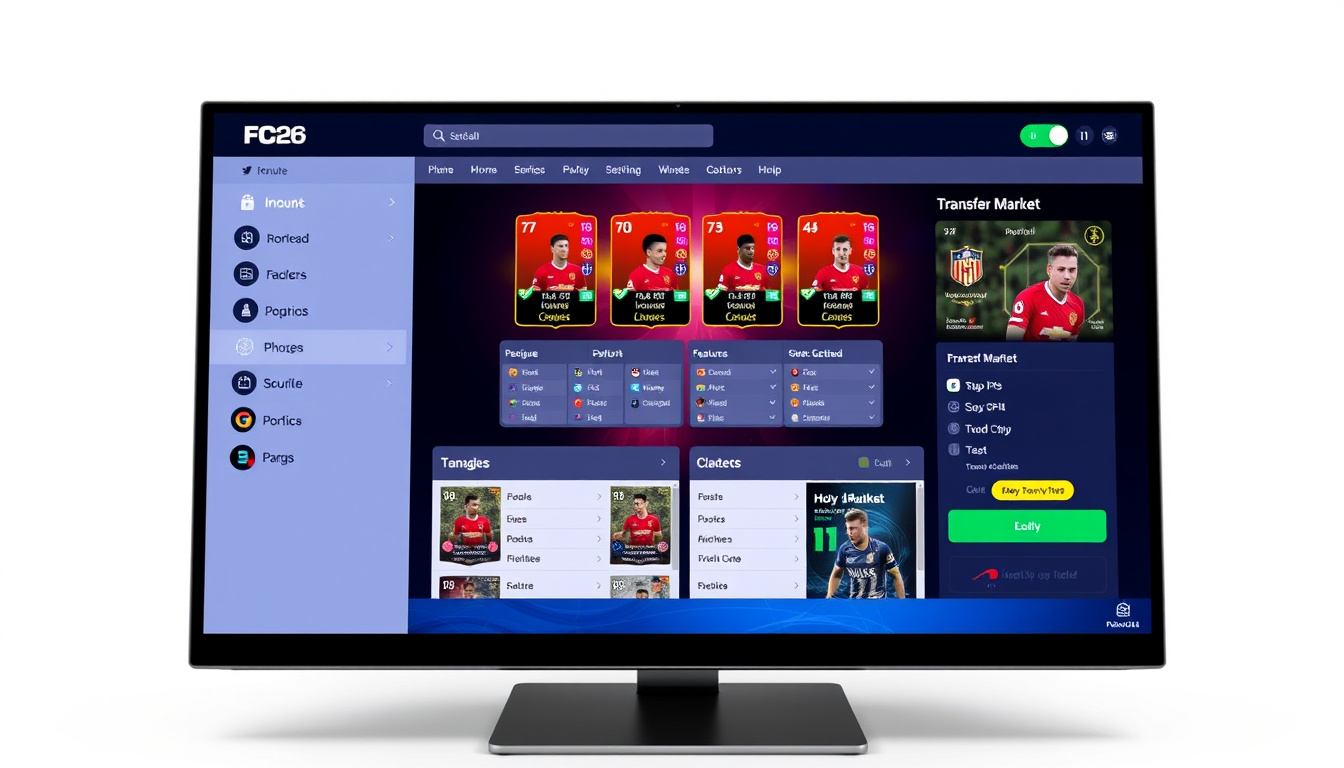

FC 26 Web App: Everything You Need to Know
The FC 26 Web App became available on September 17, 2025, giving eligible Ultimate Team players early access to manage their clubs through a web browser. This companion tool arrived one day ahead of the Companion App for mobile devices, marking a slight shift in EA Sports’ release strategy compared to previous years. Players with an existing FC 25 Ultimate Team club and qualifying login history could access the Web App two days before full game early access began on September 19, 2025.
The Web App and Companion App serve as essential tools for Ultimate Team management, allowing users to handle squad composition, trading, and various challenges without needing to boot up the console or PC game. As the franchise continues to evolve following its rebrand from FIFA, these companion applications remain critical for players who want to stay ahead in their clubs. The FC 26 versions introduced new features and refinements over their predecessors, with the FC 25 Web App officially going offline on September 12, 2025, to make way for the new platform.
This guide covers the release timeline, access requirements, features, and troubleshooting guidance based on official EA sources and available information. Whether you’re setting up your club for the first time or looking to optimize your Ultimate Team experience, understanding how these tools work can significantly enhance your gameplay.
When Will the FC 26 Web App Be Released?
The FC 26 Web App officially launched on September 17, 2025, at approximately 6 PM UK time (BST), according to available reports. This date placed the Web App release two days before the full game’s early access began on September 19. The Companion App followed one day later, becoming available on September 18, 2025. These dates represent a minor acceleration compared to the FC 25 release pattern, where the Web App launched two days before early access and the Companion App one day before.
Key Insights About FC 26 Web App Release
- The Web App launched approximately one day earlier relative to full early access compared to FC 25
- Companion App users on iOS and Android received automatic updates, eliminating the need to redownload
- Players needed an existing FC 25 Ultimate Team club with multiple logins before August 1, 2025, to qualify for early Web App access
- The FC 25 Web App and Companion App went offline on September 12, 2025
- Full game worldwide release occurred on September 26, 2025
- Post-November 14, 2025, users must log into FC 26 Ultimate Team on console or PC at least once to retain access through the apps
FC 26 Web App Quick Facts
| Fact | Details |
|---|---|
| Web App Launch Date | September 17, 2025 |
| Companion App Launch Date | September 18, 2025 |
| Developer | EA Sports |
| Mode | Ultimate Team Companion |
| Early Access Requirement | FC 25 UT club, multiple logins before August 1, 2025 |
| Worldwide Release | September 26, 2025 |
How to Download and Access the FC 26 Web App
Accessing the Web App
The Web App operates directly through web browsers without requiring any download or installation. Users navigate to the official EA Web App page and sign in with their EA Account credentials. The platform supports Chrome, Firefox, and Safari browsers, though performance may vary depending on your browser version and settings. A stable internet connection is required to use the service, and users should note that network fees may apply depending on their mobile data plan.
For the Companion App on mobile devices, users with existing FC 25 app installations received automatic updates rather than needing to manually download a new application. New users can find the Companion App on the Google Play Store for Android or the App Store for iOS devices. The app supports tablets in addition to smartphones, though the FC 26 game itself must be purchased separately on the respective platform.
Initial Setup Requirements
Before accessing either app, users must first log into FC 26 Ultimate Team on a console or PC at least once to initialize their club. During this setup process, players create their club name and establish a security question, which are then linked to their EA Account. After completing this initial console or PC login, users can access the Web App and Companion App using their EA Account credentials.
The apps require users to be at least 13 years old, consistent with EA’s general account requirements. All access is tied to the EA Account that is linked to the FC 26 game on the user’s preferred platform, whether that is PlayStation 5, PlayStation 4, Xbox Series X|S, Xbox One, Nintendo Switch, or Nintendo Switch 2.
Players who did not pre-qualify for early access through FC 25 login history can still use the apps after playing FC 26 Ultimate Team at least once on console or PC. This post-launch qualification unlocks Transfer Market access through the companion tools.
System Requirements
For mobile access, the Companion App is compatible with standard iOS and Android devices and tablets. EA has not published detailed technical specifications beyond standard mobile compatibility and internet connectivity requirements. The Web App runs on any modern web browser with JavaScript enabled, though users experiencing issues may benefit from clearing their browser cache or trying an alternative browser.
New Features in the FC 26 Web App
Expanded Ultimate Team Modes
The FC 26 Web App and Companion App include access to new Ultimate Team features introduced with the broader game update. These additions include Tournaments, Live Events, Bounties, and Challengers, representing a broader expansion of the game’s competitive and collaborative modes. These features are accessible through the companion apps once the initial setup is complete, allowing players to manage their participation even when away from their primary gaming device.
Gameplay presets introduced in FC 26, including Competitive and Authentic modes, can be configured through the companion apps after initial setup. The Clubs feature also received updates this cycle, with management tools available through the web-based interfaces. These additions aim to give players more flexibility in how they engage with their Ultimate Team without requiring constant access to a console or PC.
Comparing the Web App and Mobile App
Both the Web App and Companion App offer largely identical functionality, with the primary difference being the platform through which they are accessed. The Web App provides access through any browser, making it convenient for users who prefer not to install mobile applications or who need to manage their club from a computer without the game installed. The Companion App offers the same features in a dedicated mobile interface optimized for touchscreens and smaller displays.
Feature parity between the two platforms includes squad management, Transfer Market access, Squad Building Challenges completion, rewards claiming from Champions, Rivals, Squad Battles, and Events, as well as tactical customization options. Players can seamlessly switch between platforms using the same EA Account credentials, with changes syncing automatically across all connected devices.
Common FC 26 Web App Issues and Fixes
Troubleshooting Access Problems
Users encountering issues with the FC 26 Web App should first verify their eligibility status. Access requires either a qualifying FC 25 Ultimate Team history (club created with multiple logins before August 1, 2025) or at least one session of FC 26 Ultimate Team played on console or PC. Players without these prerequisites will find their access limited or restricted entirely.
Server overload represents another common cause of access problems, particularly immediately following the September 17 launch. EA’s official guidance suggests that delays are expected during peak usage periods and that retrying after initial congestion subsides typically resolves access issues. Users experiencing persistent problems should consult the official EA support page for further assistance.
When the Web App fails to load, try clearing your browser cache, disabling browser extensions, or switching to a different browser. For mobile app issues, force-closing and reopening the application often resolves temporary glitches. If problems persist, verify your EA Account details through the official account recovery process.
Post-November 14, 2025 Requirements
A critical deadline exists for all Web App and Companion App users. After 11:59:50 PM UTC on November 14, 2025, players must log into FC 26 Ultimate Team on console or PC at least once to retain their access to the companion applications. This requirement applies to all users regardless of their initial qualification method, serving as a security measure to ensure account ownership verification.
Players who miss this deadline will need to log into their console or PC version of FC 26 to restore companion app access. EA has not indicated any exceptions to this requirement, making it essential for active Ultimate Team managers to mark this date or set reminders to avoid losing their web and mobile management capabilities.
Failure to log into FC 26 Ultimate Team on console or PC before November 14, 2025 at 11:59:50 PM UTC will result in loss of Web App and Companion App access. Reactivation requires a subsequent console or PC login session.
FC 26 Web App Release Timeline
Understanding the chronological sequence of events helps contextualize the FC 26 Web App’s development and launch. The following timeline traces key milestones from the predecessor’s final days through the new platform’s establishment.
- September 12, 2025: FC 25 Web App and Companion App officially discontinued and went offline
- September 17, 2025: FC 26 Web App launched at approximately 6 PM UK time (BST); early access began for eligible players
- September 18, 2025: FC 26 Companion App launched for iOS and Android; automatic updates applied for existing users
- September 19, 2025: Full game early access began (midnight local time for Ultimate Edition consoles; 1 PM BST for PC)
- September 26, 2025: FC 26 worldwide release for all players
- November 14, 2025 (11:59:50 PM UTC): Deadline for at least one console or PC login to maintain companion app access
Historical Comparison with Previous Releases
Comparing FC 26’s timeline with earlier versions reveals a consistent pattern of gradual advancement. The FC 24 Web App launched on September 20, 2023, followed by the Companion App on September 21. FC 25 accelerated slightly, with the Web App arriving on September 18, 2024, and the Companion App on September 19. FC 26 continued this trend, launching the Web App two days before early access rather than the single day seen in earlier iterations.
This pattern suggests EA has been gradually expanding the window during which companion app access is available before the full game’s early access period. The auto-update feature introduced for the FC 26 Companion App also streamlines the transition for existing mobile users, removing a friction point that previously required manual intervention.
What We Know and What Remains Unclear
Established Information
- Web App launched September 17, 2025
- Companion App launched September 18, 2025
- Eligibility tied to FC 25 UT history or post-launch console/PC play
- Auto-update eliminates redownloads for Companion App
- FC 25 apps discontinued September 12, 2025
- New features: Tournaments, Live Events, Bounties, Challengers
- November 14, 2025 console/PC login deadline
- Full game early access: September 19, 2025
- Worldwide release: September 26, 2025
Information That Remains Unclear
- Exact minute of Web App launch time on September 17 (sources indicate approximately 6 PM UK time but EA has not confirmed this)
- Specific device compatibility details beyond standard iOS/Android and modern browsers
- Whether additional features will be added post-launch through server-side updates
- Availability of future beta programs for upcoming cycles
- Details regarding any planned maintenance windows
- Regional differences in release timing beyond confirmed UK/BST references
Understanding the FC 26 Web App in Context
The companion app ecosystem for EA Sports FC represents a significant evolution in how players engage with Ultimate Team outside of their primary gaming sessions. By offering browser-based and mobile access to club management tools, EA enables players to handle daily tasks like checking the Transfer Market, completing Squad Building Challenges, and claiming rewards without interrupting other activities. This flexibility has become increasingly important as gaming sessions grow longer and players seek to maximize their efficiency within the game.
The transition from FIFA to EA Sports FC brought renewed attention to the Ultimate Team ecosystem, with the company positioning these companion applications as essential components of the player experience rather than optional accessories. The FC 26 release cycle marked the third iteration under the new branding, with each cycle introducing refinements to both the core game and its companion tools. The addition of new modes like Tournaments and Bounties through the companion apps reflects EA’s strategy of extending gameplay options beyond the console experience.
For competitive players, the ability to manage squads and access market information on mobile devices provides a meaningful advantage in a mode where market timing and squad optimization directly impact competitive success. The companion apps level the playing field for players who may not have unlimited console access but still want to maintain an active and competitive Ultimate Team presence.
Sources and References
Eligible players (account in good standing) with FC 25 Ultimate Team club created and multiple logins before August 1, 2025, gained access on September 17 for club creation, trading, and returning user rewards.
— EA Sports Official Support Page
Post-November 14, 2025 (11:59:50 PM UTC), users must log into FC 26 Ultimate Team on console/PC at least once to retain access.
— EA Sports Official Support Page
For official guidance and support, players can access the EA Sports FC early access support page directly. Additional information about the broader FC 26 game can be found through EA’s official FC 26 homepage.
Summary
The FC 26 Web App provides eligible Ultimate Team players with browser-based access to essential club management tools, launching on September 17, 2025, ahead of the full game’s early access. The Companion App followed on September 18, with automatic updates applying for existing users. Players qualify for early access through either an existing FC 25 Ultimate Team club with qualifying login history or by playing FC 26 on console or PC at least once. Core features include squad management, Transfer Market access, Squad Building Challenges, and rewards claiming, while new additions like Tournaments and Live Events expand the available modes. The November 14, 2025 deadline requires all users to log into their console or PC version at least once to maintain access. For those seeking comprehensive gaming guides and strategies, exploring resources like the Sims 4 cheats guide can provide additional insights into managing complex game ecosystems.
Frequently Asked Questions
When did the FC 26 Web App become available?
The FC 26 Web App launched on September 17, 2025, at approximately 6 PM UK time (BST), giving eligible players two days of access before the full game’s early access began.
How do I qualify for early access to the FC 26 Web App?
Early access requires an existing FC 25 Ultimate Team club created with multiple logins before August 1, 2025, or alternatively, playing FC 26 Ultimate Team at least once on console or PC.
Do I need to download anything for the Web App?
No download is required for the Web App. It runs directly through web browsers like Chrome, Firefox, or Safari by visiting the official EA Web App page and signing in with your EA Account.
What happens if I don’t log into FC 26 on console or PC before November 14, 2025?
After November 14, 2025 at 11:59:50 PM UTC, you must log into FC 26 Ultimate Team on console or PC at least once to retain Web App and Companion App access. Missing this deadline requires a subsequent console or PC login to restore access.
What features are available through the FC 26 Web App?
The Web App provides squad management, Transfer Market access for buying and selling players, Squad Building Challenges completion, rewards claiming from various modes, and tactical customization options.
How does the FC 26 Companion App differ from the Web App?
Both apps offer identical functionality. The primary difference is the platform: the Web App runs through browsers, while the Companion App is a dedicated mobile application available through the App Store and Google Play Store.
What new features did FC 26 add to the companion apps?
FC 26 introduced Tournaments, Live Events, Bounties, and Challengers to the companion app ecosystem, alongside gameplay presets like Competitive and Authentic modes.
Why is the FC 26 Web App not loading for me?
Common causes include eligibility restrictions, server overload during peak periods, or browser issues. Verify your qualification status and try clearing your browser cache or using an alternative browser.
Can I use the Companion App on my tablet?
Yes, the Companion App supports both smartphones and tablets, adapting its interface to different screen sizes while maintaining feature parity with the smartphone version.
Where can I find official support for the FC 26 Web App?
Official support and troubleshooting guidance are available through the EA Sports FC early access support page.
Related stories



Rachel Bennett leads fact-checking, source verification and corrections at Australia Current.