
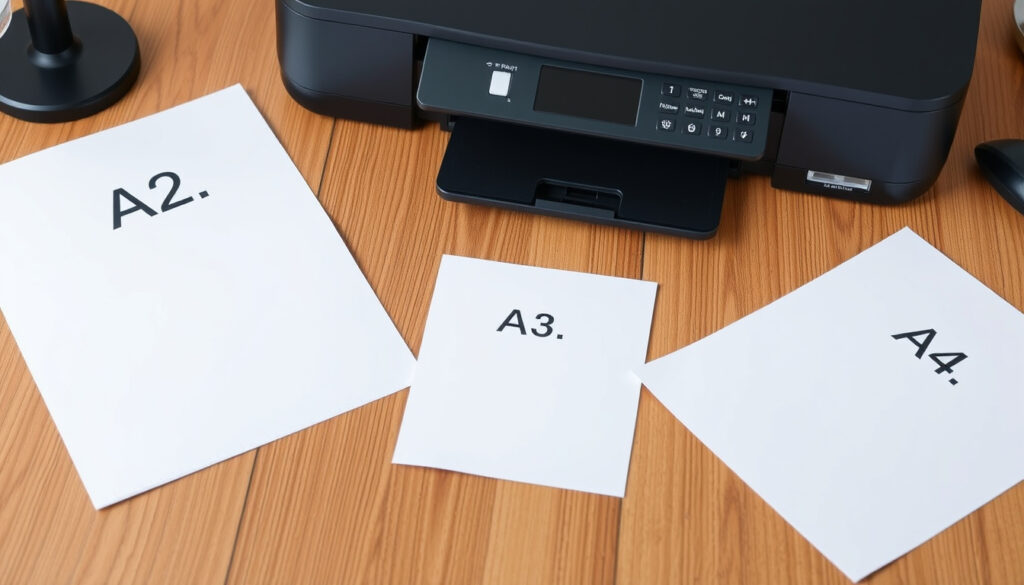
If you’ve ever had to choose a sheet of paper for a poster or a big diagram, you’ve probably wondered which size fits your project. A2 is a versatile middle ground between A3 and A1, measuring 420 × 594 mm (PaperSizes.org, international reference) — exactly four times larger than the common A4 sheet — and this guide covers its exact measurements in every unit, how it stacks up against related sizes, and how to print an A2 design on standard A4 paper.
A2 width x height (mm): 420 x 594 mm ·
A2 width x height (cm): 42.0 x 59.4 cm ·
A2 width x height (inches): 16.5 x 23.4 in ·
A2 area (square meters): 0.25 m² ·
A2 aspect ratio: 1:√2 (1.414:1) ·
A2 compared to A4: 4 x A4 sheets
Quick snapshot
- ISO 216 standard defines A2 as 420 × 594 mm (PaperSizes.org) (Adobe, design platform)
- A2 is exactly four times larger than A4 (Adobe, design platform)
- Pixel dimensions at standard DPI vary (300 dpi gives 4961 × 7016 px, but 150 dpi yields 2480 × 3508 px)
- Recommended paper weight (gsm) for A2 printing depends on printer type and ink coverage
- No timeline data — A2 dimensions have remained unchanged since ISO 216 adoption
- Expect more digital tools to simplify tiling A2 prints on A4 paper (A Good Day to Print)
The table below confirms the ISO 216 specifications for A2 paper.
| Attribute | Value |
|---|---|
| Standard designation | ISO 216 A2 |
| Width x Height (mm) | 420 x 594 mm (PaperSizes.org) |
| Width x Height (cm) | 42.0 x 59.4 cm |
| Width x Height (inches) | 16.5 x 23.4 in (PaperSizes.org) |
| Area | 0.25 m² |
| Aspect ratio | 1:√2 (1.414:1) (BachelorPrint, printing specialist) |
| A2 to A4 ratio | 1 A2 = 4 x A4 (Adobe, design platform) |
What size is A2 paper?
A2 dimensions in millimeters
The A2 format is defined by ISO 216 as 420 × 594 mm. This is its most authoritative specification, derived by halving A1 (841 × 594 mm) exactly along the longer side (PaperSizes.org, international reference). The width and height are measured to the nearest millimetre, and the standard tolerance for sizes in this range is ±2 mm per the ISO guidelines (Wikipedia, technical reference).
A2 dimensions in centimeters
In centimetres, the same sheet is 42.0 × 59.4 cm. This conversion is a direct decimal shift and is the most common expression for European office supplies and art materials.
A2 dimensions in inches
For markets that still rely on imperial units, A2 equals 16.5 × 23.4 inches (A Good Day to Print, printing resource). Note that 16.54 × 23.39 in is sometimes listed; the slight rounding to 16.5 in is standard for practical use.
A2 dimensions in pixels
Pixel dimensions depend entirely on the DPI setting of your output device:
- At 300 dpi: 4961 × 7016 px (standard for high-quality print)
- At 150 dpi: 2480 × 3508 px (acceptable for large posters)
- At 72 dpi: 1191 × 1684 px (screen-only resolution)
The relationship between DPI and physical size means you should always confirm the target DPI before finalising your artwork.
A2 paper size real life comparison
An A2 sheet is roughly the size of a large computer monitor — Snap Print Solutions describes it as “comparable to a large monitor.” In your hands, it’s about the width of a standard desk and a bit taller than a broadsheet newspaper open flat.
The ISO 216 aspect ratio (1:√2) means you can scale from A0 down to A4 without cropping — a design decision that saves thousands of hours for architects and graphic artists worldwide (BachelorPrint).
The implication: A2’s consistency with ISO 216 ensures global standardization, but always double-check units when converting.
Is A2 the same size as A4?
How many A4 sheets fit in A2?
No — A2 is considerably larger. Since each step in the A series halves the area, A2 is exactly four times larger than A4. One A2 sheet equals four A4 sheets arranged in a 2×2 grid (Adobe, design platform).
A2 vs A4 size comparison
Visually, A4 (210 × 297 mm) fits into A2 four times. If you lay an A2 poster next to an A4 document, the poster is roughly twice as wide and twice as tall. This scaling factor is consistent across all A sizes: A2 is to A4 what A4 is to A6.
The trade-off: A2 requires a larger printer (most consumer printers max out at A4 or A3), so printing an A2 document at home usually requires tiling.
This scaling logic means that any A-series size can be scaled without cropping, a feature unique to the ISO system.
What is A1, A2, A3, and A4?
A series paper size table
The table below shows how A2 fits into the A series hierarchy.
| Size | Dimensions (mm) | Dimensions (in) | Area (m²) |
|---|---|---|---|
| A0 | 841 × 1189 | 33.1 × 46.8 | 1.00 |
| A1 | 594 × 841 | 23.4 × 33.1 | 0.50 |
| A2 | 420 × 594 | 16.5 × 23.4 | 0.25 |
| A3 | 297 × 420 | 11.7 × 16.5 | 0.125 |
| A4 | 210 × 297 | 8.3 × 11.7 | 0.0625 |
Sources: PaperSizes.org, Adobe, design platform.
A1 dimensions
A1 measures 594 × 841 mm and is exactly twice the area of A2 (Adobe, design platform). It’s used for large posters, flip charts, and technical drawings where more real estate is needed.
A3 dimensions
A3 sits directly below A2 at 297 × 420 mm (PaperSizes.org). It’s half the area of A2 and is common for tabloid-style publications, small posters, and architectural sketches.
A4 dimensions
A4, the everyday standard, is 210 × 297 mm. It’s one-quarter the area of A2 (Adobe, design platform) and is the universal letter-size paper outside North America.
A2 compared to A1 and A3
A2 is exactly twice the size of A3 and half the size of A1 (Adobe, design platform). This makes it the practical mid-size option: large enough for impactful posters, yet still manageable for framing and transport.
The pattern in the A series makes it easy to predict sizes: halving the longer side at each step.
Can A2 be printed as A4?
How to tile print an A2 poster on A4 paper
Yes — most printer drivers and design programs offer a tiling (or poster-print) option. The software divides the A2 document into four A4 sections and prints each on a separate sheet. You then trim and assemble them.
Tiled prints can have visible seam lines if the printer has even 0.5 mm registration drift. For a seamless look, use a professional print shop that supports A2 media directly.
How to print A2 spread as 4 A4 in Adobe InDesign
If you’re using Adobe InDesign, follow these steps to output an A2 layout as four A4 pages:
- Create a new document set to A2 (420 × 594 mm) with facing pages disabled.
- Design your content normally.
- Go to File → Print Presets → [your A4 printer].
- In the Print dialog, under Setup, select A4 as the paper size.
- Under General, check Tile and choose Auto (or set tile overlap to 3–5 mm for alignment guides).
- Click Print — InDesign will output four numbered pages that overlap slightly at the seams.
For precision, export as a PDF and use Adobe Reader’s Poster print option (File → Print → Page Sizing → Poster) instead. Both methods rely on the same principle: splitting the A2 canvas into four A4 quadrants.
Tiling remains a practical workaround for home users, but professional printing yields seamless results on actual A2 media.
What is A2 paper used for?
Posters and signs
A2 is the most popular size for medium-format posters and signs. Retailers use it for in-store promotions, cafés for menu boards, and event organisers for directional signage. It’s large enough to catch attention but fits standard display frames and easels.
Art prints and diagrams
Artists and architects choose A2 for technical drawings, blueprints, and limited-edition art prints (BachelorPrint, printing specialist). The aspect ratio accommodates both landscape and portrait compositions, and the area allows for detailed schematics alongside annotations.
Presentations and notices
In offices and schools, A2 is used for presentations, noticeboards, and conference schedules. It can be read from 2–3 metres away, making it effective for meeting-room agendas and public noticeboards (Snap Print Solutions).
A2 has no direct US standard equivalent. The closest is ARCH C (18 × 24 in), which is about 5 % larger in area (BachelorPrint, printing specialist). If you’re exporting designs for North American clients, always supply crop marks and specify ISO dimensions.
The choice of A2 for these applications reflects its balance between visibility and portability.
Confirmed facts
- A2 dimensions are 420 × 594 mm per ISO 216 (PaperSizes.org)
- A2 is 4 times larger than A4 (Adobe, design platform)
- A2 is used for posters, signs, diagrams, and art prints (Snap Print Solutions)
- The A-series aspect ratio is 1:√2 (BachelorPrint, printing specialist)
What’s unclear
- Exact pixel dimensions depend on DPI (300 vs 150 vs 72) — no single “correct” value
- Recommended gsm for A2 printing varies by printer model and paper stock type
- ISO tolerance for A2 is ±2 mm (Wikipedia, general reference), but print quality also depends on humidity and cutter calibration
“A2 is commonly used for technical drawings, diagrams, calendars, medium-sized posters, and artwork.”
“A1 is exactly twice the size of A2, and A2 is exactly twice the size of A3. This consistent scaling is what makes the ISO A series so practical.”
“The A-series uses an aspect ratio of approximately 1:√2, so every size can be scaled up or down without content being cut off.”
“A2 is close in size to ARCH C, which measures 18 × 24 inches, but they are not interchangeable without trimming.”
— BachelorPrint
The consequence for anyone buying or designing for the A2 format is clear: always verify the final output medium first. For Australian consumers — where ISO standards are standard but US templates are common online — the choice is either to stick with ISO A2 for local print shops or to adapt to ARCH C if the design will be produced in the US. The trade-off: international compatibility versus exact-fit convenience.
For those needing precise measurements, A2 paper dimensions in centimeters are available alongside the standard mm and inch values.
Frequently asked questions
Is A2 a standard paper size?
Yes, A2 is defined by ISO 216 as part of the international A-series paper size standard (PaperSizes.org).
What is A2 paper used for?
A2 is used for posters, signs, diagrams, art prints, presentations, and architectural drawings (BachelorPrint).
How many A4 sheets equal A2?
Four A4 sheets make one A2 sheet (Adobe).
What size is A2 in mm?
A2 is 420 × 594 mm (PaperSizes.org).
What size is A2 in cm?
A2 is 42.0 × 59.4 cm.
What size is A2 in inches?
A2 is 16.5 × 23.4 inches (A Good Day to Print).
What are the pixel dimensions of A2 at 300 dpi?
4961 × 7016 pixels.
Is A2 bigger than A3?
Yes, A2 is twice the area of A3 (Adobe).
Related stories




Liam O'Brien covers Australian politics and public affairs for Australia Current.